The BitBox02 supports BIP-85 child keys. BIP-85 lets you generate separate BIP-39 recovery words from the main recovery words of your BitBox02.
This allows you to create independent wallets while keeping one secure BitBox02 backup as the source. To understand the technical concept behind this feature, read the BitBox blog article about using BIP-85 child keys with the BitBox. For the full technical specification, see the official BIP-85 standard on GitHub.
Recovery words warning
A BIP-85 child key is a full set of recovery words. Anyone with access to the child key can control the funds in the child wallet. Store every child key offline and never enter recovery words into a website, cloud service, password manager, or AI chatbot.
Before you begin
You need:
- A BitBox02
- The BitBoxApp installed on your computer
- Access to your BitBox02 device password
- A secure offline place to write down the generated child key
BIP-85 availability
BIP-85 child keys are available in the BitBoxApp through the BitBox02 expert settings. Make sure your BitBoxApp and BitBox02 firmware are up to date before using this feature.
Generate a BIP-85 child key
Step 1: Connect your BitBox02
- Open the BitBoxApp on your computer.
- Connect your BitBox02 via USB.
- Unlock your BitBox02 with your device password.
Step 2: Open the BitBox02 settings
- In the BitBoxApp, open Settings.
- Select Manage device.
Step 3: Open the BIP-85 feature
- Scroll to Expert settings.
- Click Show BIP-85 child keys.

Step 4: Read the BIP-85 explanation
- Read the BIP-85 explanation shown in the BitBoxApp.
- Confirm that you understand how BIP-85 child keys work and the related security considerations.
- Continue to the next step.
Step 5: Confirm the derivation on your BitBox02
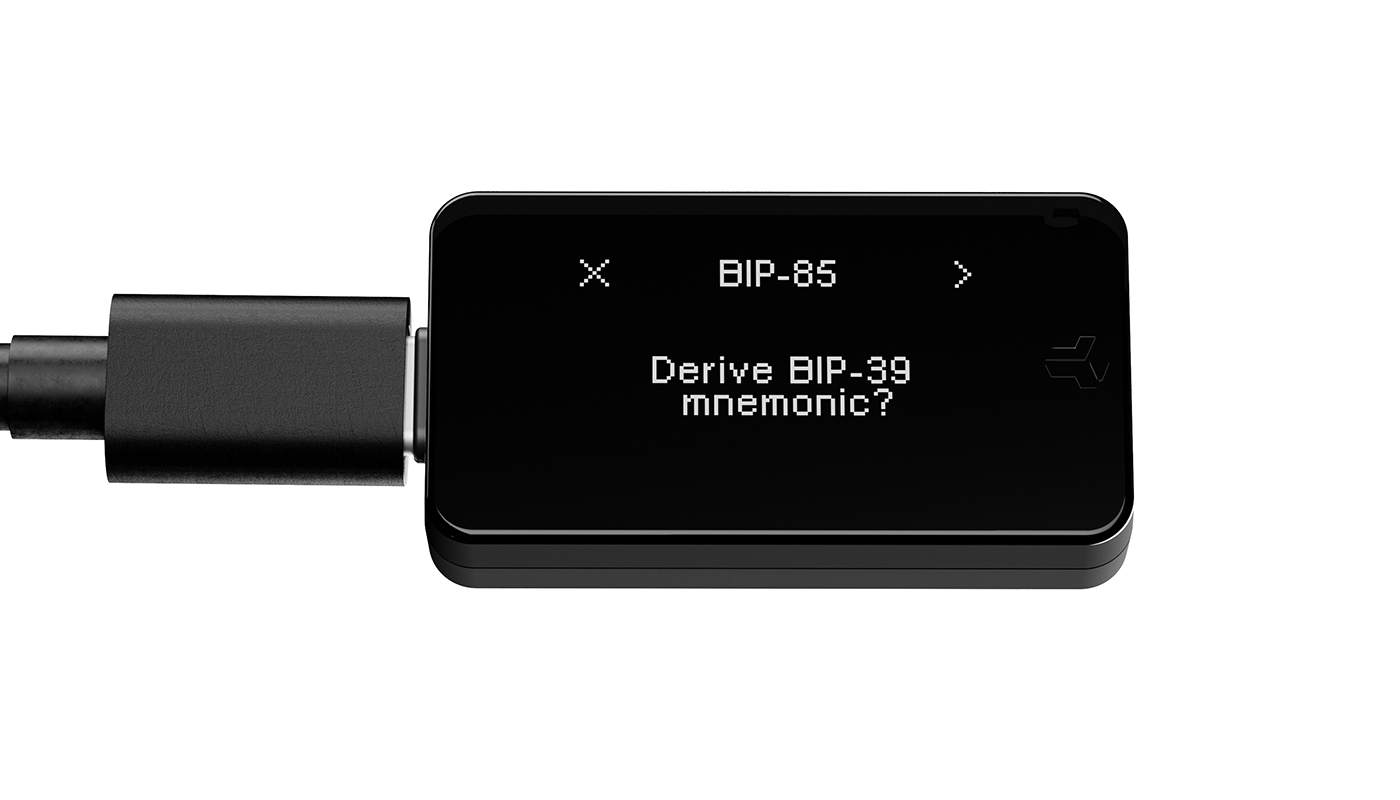
- The BitBox02 shows the prompt Derive BIP-39 mnemonic?
- Confirm the prompt directly on your BitBox02.
Step 6: Choose the child key parameters
- Choose the number of recovery words for the child key.
- Select either 12 words or 24 words.
- Enter the index number for the child key.
- Confirm the displayed keypath on your BitBox02.
Index number requirement
The number of recovery words and the index number determine which BIP-85 child key is generated. If you use the same number of recovery words and the same index number again, the BitBox02 will generate the same child key.
Step 7: Write down the child key
- The BitBox02 displays the generated BIP-85 child key.
- Write down the recovery words in the correct order.
- Store the child key securely offline.
Step 8: Use the child key in another wallet
You can import the BIP-85 child key into any compatible wallet that supports BIP-39 recovery words.
The child key creates a separate wallet from your main BitBox02 wallet. Funds in the child wallet are controlled by the child key, not by the BitBoxApp.
How BIP-85 child keys work
BIP-85 uses your BitBox02 main recovery words to deterministically generate new recovery words. These generated recovery words are called child keys.
A BIP-85 child key can be recreated later if you still have access to the same BitBox02 backup and use the same child key parameters.
The BitBox 04.2024 Brienz update introduced BIP-85 support for BitBox02 users. You can read more about this release in the BitBox 04.2024 Brienz update.
FAQ
Can I generate 18-word BIP-85 child keys with the BitBox02?
No. The BitBoxApp currently supports 12-word and 24-word BIP-85 child keys. The 18-word option is no longer available in this environment.
Is a BIP-85 child key a separate wallet?
Yes. A BIP-85 child key is a separate set of BIP-39 recovery words and can be used to restore a separate wallet in a compatible wallet app.
Can I recreate the same BIP-85 child key later?
Yes. The BitBox02 will recreate the same BIP-85 child key if you use the same main BitBox02 backup, the same number of recovery words, and the same index number.
What happens if I lose a BIP-85 child key?
If you lose a BIP-85 child key, you can recreate it with your BitBox02 as long as you still have access to the same main BitBox02 backup and remember the correct child key parameters.
Can BitBox support recover my BIP-85 child key?
No. BitBox support cannot recover BIP-85 child keys, recovery words, passphrases, or index numbers. Only the user can recreate a BIP-85 child key with the correct BitBox02 backup and parameters.
Should I store BIP-85 child keys like normal recovery words?
Yes. Store every BIP-85 child key like normal recovery words. A child key gives full access to the wallet created from it.