Receive Ethereum (ETH) and ERC-20 tokens with your BitBox by displaying your receive address in the BitBoxApp and verifying it on your BitBox before sharing it.
Always verify the receive address on your BitBox before sharing it. This protects you against malware that could modify the address shown on your computer or phone.
The same steps apply whether you want to receive ETH or a supported ERC-20 token in the BitBoxApp.
Before you begin
- Open the BitBoxApp and unlock your BitBox.
- Select the Ethereum account you want to use, or one of its ERC-20 token sub-accounts (displayed beneath the Ethereum account).
- Make sure you are using the newest BitBoxApp version. If your ETH balance shows 0 or you see a connection error, update the BitBoxApp and confirm that your operating system is still supported.
If needed, check the supported devices and operating systems for the BitBoxApp and download the latest BitBoxApp version.
This article covers receiving ETH and supported ERC-20 tokens on Ethereum in the BitBoxApp. If assets are sent using another network, they will not appear in the Ethereum account in the BitBoxApp. Always confirm that the sender is using the Ethereum network before sharing your address.
Unlike Bitcoin, Ethereum accounts use one permanent receive address. The BitBoxApp therefore displays the same address each time you click Receive for that Ethereum account.
Receive ETH and ERC-20 tokens
- Open the BitBoxApp and unlock your BitBox.
- In the left sidebar, select your Ethereum account or the ERC-20 token sub-account you want to receive funds into.

- Click Receive.
- On the receive screen, review the address preview, then click Verify address on BitBox to display the address on your BitBox for verification.

- The receive address appears in the BitBoxApp and on your BitBox screen.
- Carefully compare the full address shown on your computer or phone with the address shown on your BitBox.
- If the addresses match exactly, confirm on your BitBox.
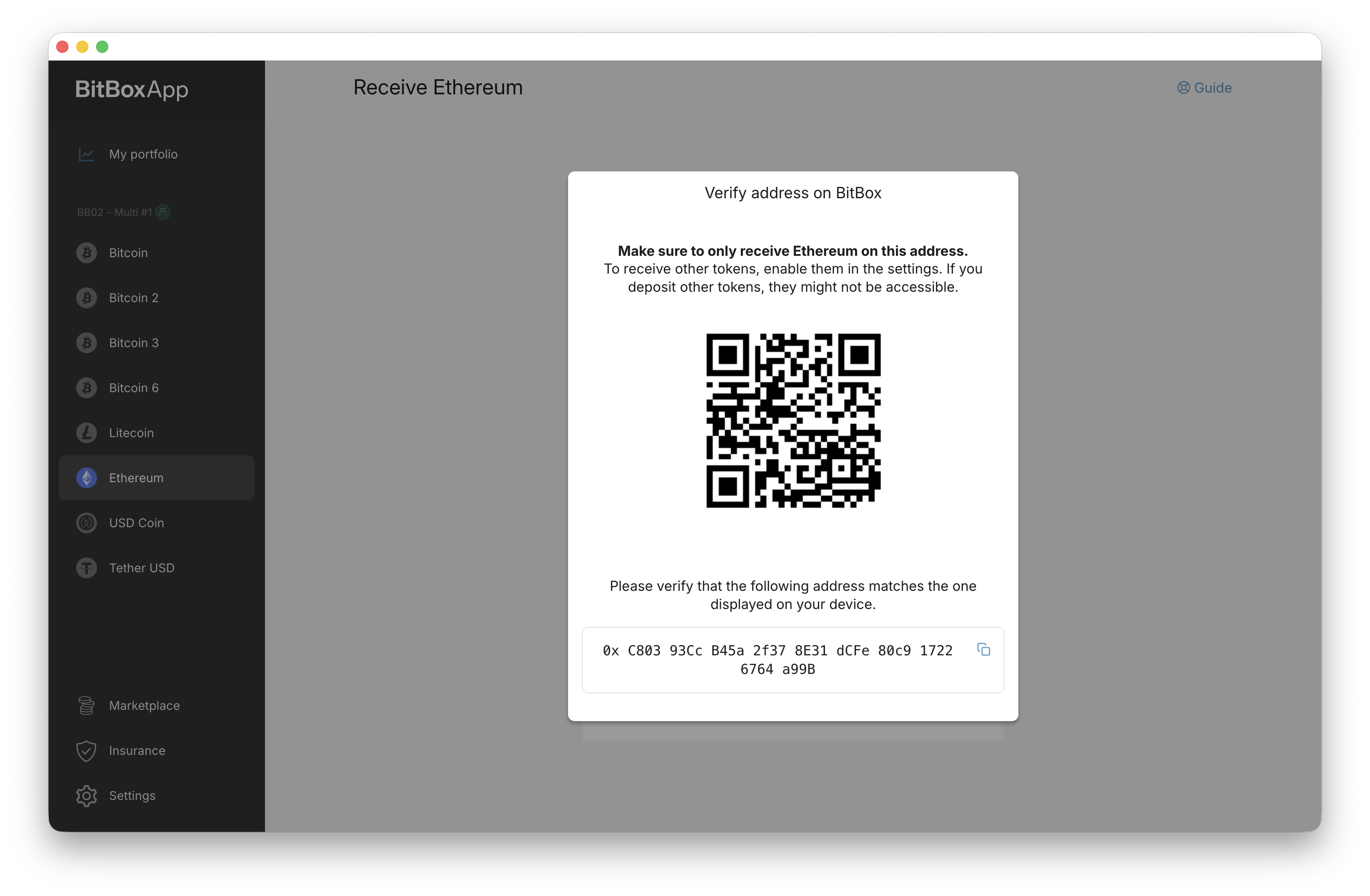
Result:
Your verified Ethereum receive address is now displayed together with a QR code. You can safely copy the address or let the sender scan the QR code.
Why verifying on your BitBox matters
Your BitBox screen is the trusted source for your receive address.
Always compare the address in the BitBoxApp with the address on the BitBox before you share it. This protects you against malware that could replace the address shown on your computer or phone. For more background on how hardware wallets protect you from this kind of risk, read Can a hardware wallet be hacked?.
The BitBoxApp displays the QR code only after you verify and confirm the address on your BitBox. This ensures you verify the receive address on your BitBox before sharing it.
Frequently asked questions
Why is my Ethereum address always the same?
Ethereum is account-based. This means one Ethereum account uses one receive address for all deposits to that account.
That is why the BitBoxApp shows the same receive address each time you click Receive for that Ethereum account or one of its ERC-20 token sub-accounts.
If you need a different Ethereum receive address, create a new Ethereum account in the BitBoxApp.
Is the address the same for ETH and ERC-20 tokens?
Yes. ERC-20 tokens use the Ethereum network, so they use the same receive address format as ETH. Within the same Ethereum account, your ETH and ERC-20 tokens use the same address.
Can I reuse my Ethereum receive address?
Yes. Ethereum addresses are designed to be reused. The BitBoxApp therefore displays the same receive address each time you receive ETH or ERC-20 tokens into the same Ethereum account.
Why does my ETH balance show 0 or fail to load?
If your ETH balance shows 0 or the BitBoxApp shows a connection error while your other accounts load normally, update to the latest BitBoxApp version and confirm that your operating system is still supported.
Older BitBoxApp versions may use an outdated Ethereum API and may no longer load your Ethereum account correctly.
Can I use this address for other EVM networks?
This article is specifically about receiving ETH and ERC-20 tokens in the BitBoxApp on Ethereum.
Although many EVM-compatible networks use the same address format as Ethereum, they are separate networks. Assets sent on another network will not appear in the Ethereum account inside the BitBoxApp.
If you want to use your BitBox on other EVM-compatible networks such as Polygon or Arbitrum, read EVM chains supported by your BitBox.