This article explains how to use the BitBox02 Nova with the BitBoxApp for iOS on your iPhone or iPad. It walks you through installing the app, connecting your device, and understanding how Bluetooth® is used securely on iOS.
Why the BitBox02 Nova is needed for iOS
Connecting a BitBox02 directly to an iPhone or iPad via USB is not possible due to Apple’s restrictions on the USB-C port.
The BitBox02 Nova was designed specifically to solve this limitation by enabling a secure Bluetooth® connection to iOS devices.
Why Bluetooth® is required on iOS
Apple does not allow external hardware wallets to communicate over USB with iPhones and iPads. Bluetooth® Low Energy is currently the only supported way to connect securely.
You can learn more about the BitBox02 Nova in our official announcement.
Bluetooth® support on the BitBox02 Nova was engineered with security as a top priority. For a detailed technical explanation of how this works, see our blog article “Whisper: The secure Bluetooth® integration of the BitBox02 Nova.”
Can I use a BitBox02 with the iOS app?
No. A standard BitBox02 hardware wallet cannot be upgraded to work with the iOS BitBoxApp.
Secure Bluetooth® connectivity requires dedicated hardware components that are only present in the BitBox02 Nova.
Your existing BitBox02 remains fully secure and continues to receive updates. You can keep using it with:
- the desktop BitBoxApp on Windows, macOS, and Linux
- the official BitBoxApp for Android
Install the BitBoxApp on iOS
Before connecting your BitBox02 Nova, install the BitBoxApp on your iPhone or iPad.
- Open the Apple App Store on your iOS device.
- Search for BitBoxApp and download the official app published by Shift Crypto AG.
Make sure you install the official app
The BitBoxApp is published by Shift Crypto AG. Avoid unofficial apps with similar names.

Connect your BitBox02 Nova to the iOS app
Once the app is installed, you can pair your BitBox02 Nova.
- Open the BitBoxApp on your iPhone or iPad.

- Power on your BitBox02 Nova.
- Follow the on-screen instructions to securely pair the device via Bluetooth®.
After pairing, you can:
- set up a new wallet, or
- restore an existing wallet
You’re connected
Once pairing is complete, your BitBox02 Nova is ready to use with the BitBoxApp on iOS.
Understanding device names
During Bluetooth pairing, device names help you confirm that you are connecting to the correct BitBox02 Nova.
-
During setup:
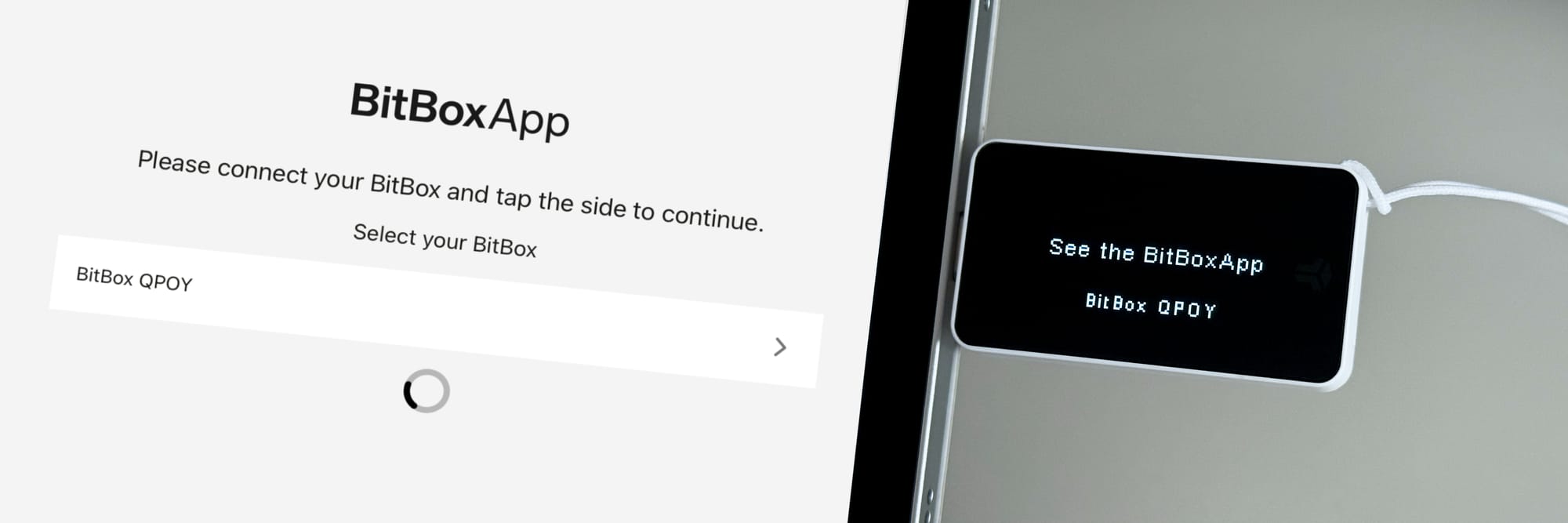
Before the device is set up, the Bluetooth name is randomly generated each time the device is powered on (for example, “BitBox QPOY”).
This name is shown both in the BitBoxApp and on the BitBox02 Nova screen so you can verify the connection. -
After setup:
Once setup is complete, the Bluetooth name is the device name you chose.
You can select a descriptive name or an arbitrary one for additional privacy.
This prevents man-in-the-middle attacks
Showing the same device name on both your phone and the BitBox02 Nova ensures you are pairing with the correct hardware wallet.
USB first: how connections are prioritized
Bluetooth® Low Energy is required to connect the BitBox02 Nova to iPhones and iPads. On other platforms, it is not needed.
For this reason, the BitBox02 Nova always prioritizes USB communication whenever it becomes available:
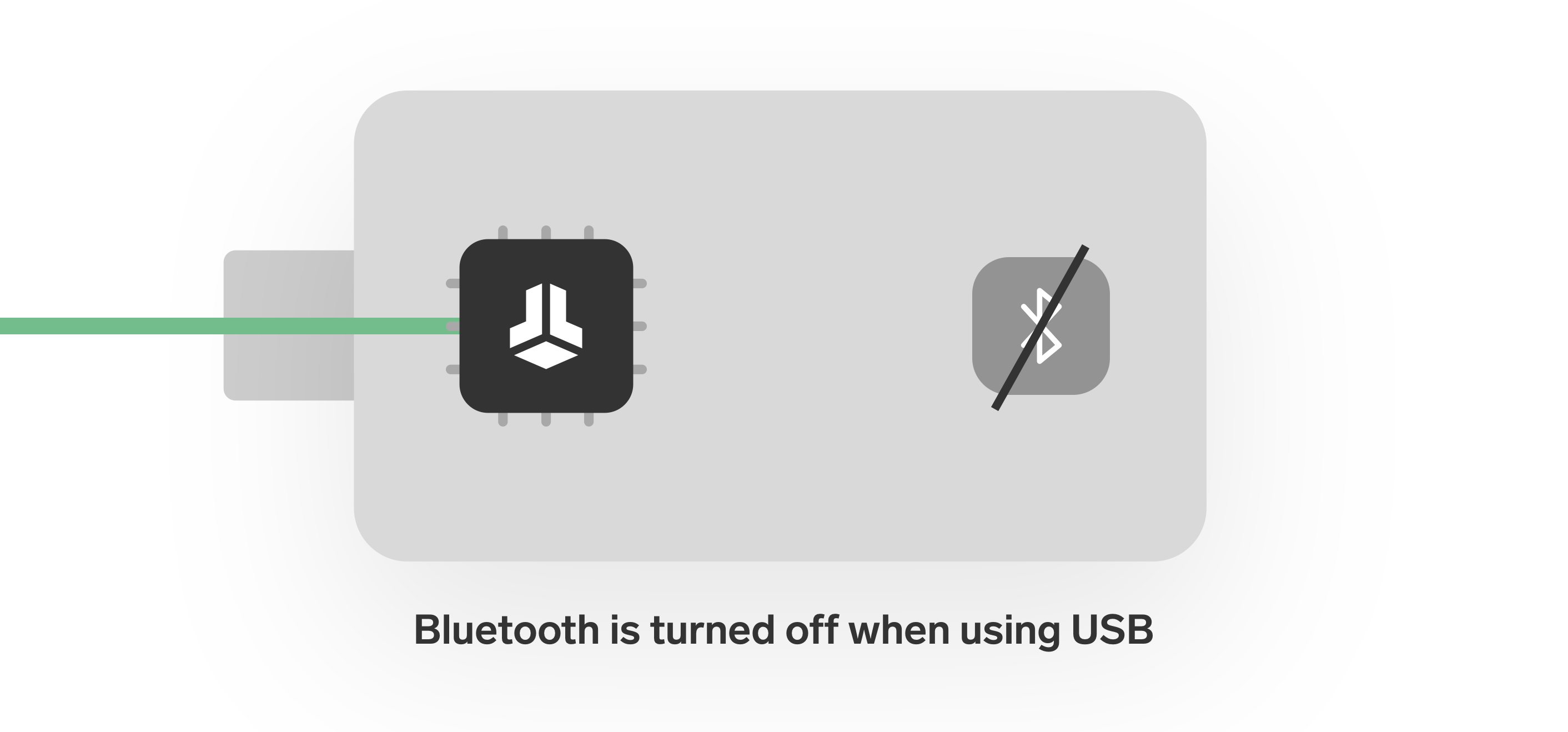
- If the device receives data via USB, Bluetooth® is automatically turned off.
- If the BitBox02 Nova is connected via USB while the BitBoxApp is running, the Bluetooth firmware is not started at all.
Bluetooth is not used unnecessarily
Whenever a USB connection is available, Bluetooth® is disabled automatically to reduce attack surface.
Disabling Bluetooth® (advanced)
If you do not use iOS at all, Bluetooth® can be permanently disabled in the device firmware.
Important
Bluetooth® cannot be re-enabled from an iPhone or iPad.
Only disable Bluetooth® if you have access to a USB-enabled host device (computer or Android phone).
FAQ
Why does my BitBox02 Nova not appear in the Bluetooth list?
Several factors can affect Bluetooth pairing, such as device state, iOS permissions, or nearby interference.
Troubleshooting Bluetooth issues
For a step-by-step diagnostic guide and common solutions, see the
BitBox02 Nova Bluetooth troubleshooting guide for iOS.
Is Bluetooth® always active on the BitBox02 Nova?
No. Bluetooth® is only used when required, such as on iOS.
Whenever a USB connection is available, USB communication takes priority and Bluetooth® is automatically disabled.
Is Bluetooth® secure enough for a hardware wallet?
Yes. The BitBox02 Nova uses a security-focused Bluetooth® design where all sensitive actions still require physical confirmation on the device.
For a deeper technical explanation, refer to our blog article on the secure Bluetooth® integration of the BitBox02 Nova.